Is Sherlock Forensics PST Viewer really free?
Yes. The free edition opens PST and OST files, previews 50 messages per folder with 3 file opens per day, includes search and verifies SHA256 hashes. The Forensic Edition at $67 USD removes both limits and adds export, forensic reporting and chain of custody logging.
Do I need Microsoft Outlook to open a PST file?
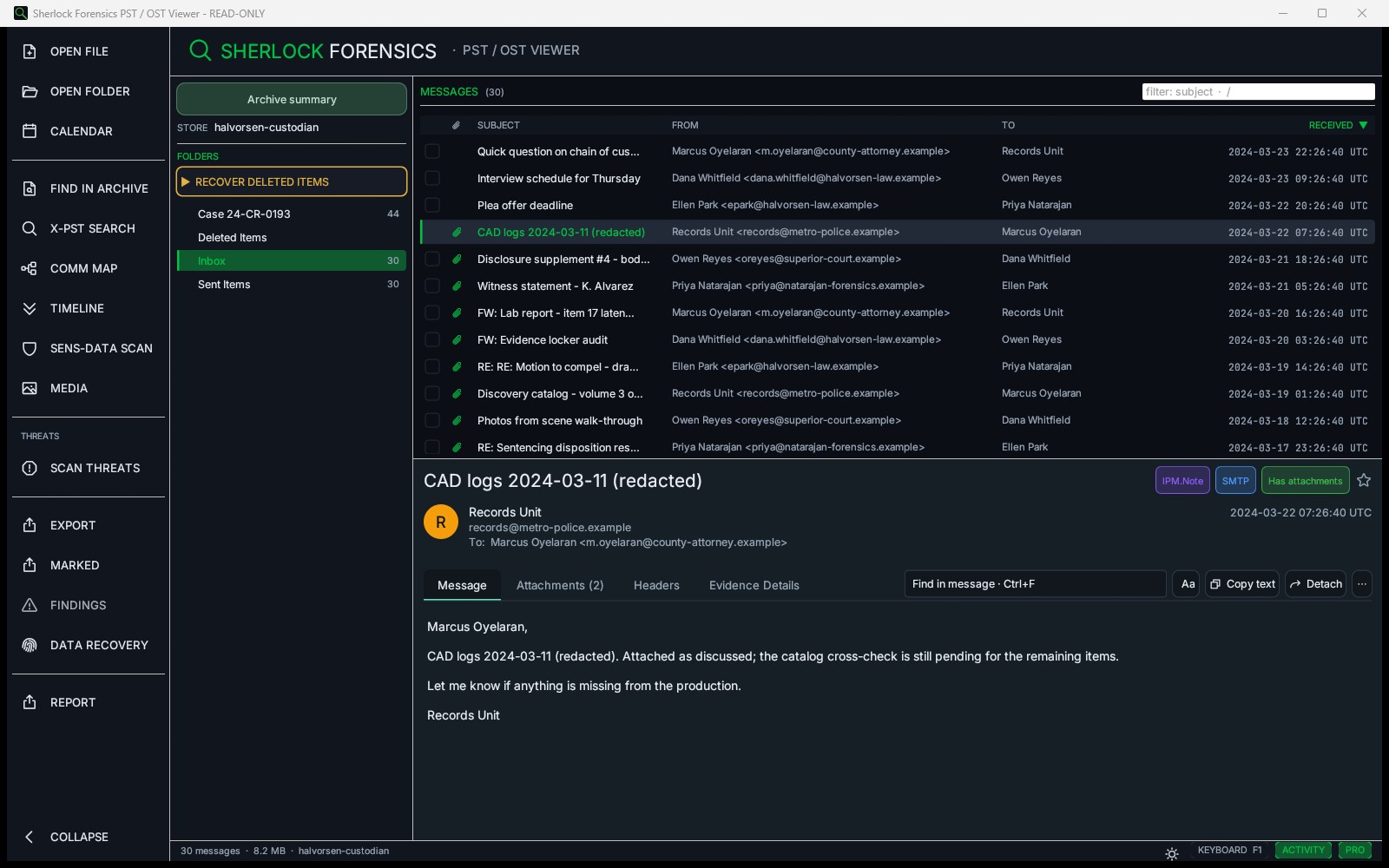
No. Sherlock Forensics PST Viewer opens PST and OST files without Outlook installed. It reads the PST format directly using its own parser. No Microsoft Office license required.
What is the difference between PST and OST files?
PST (Personal Storage Table) files are offline copies of mailbox data that can be moved between machines. OST (Offline Storage Table) files are local cached copies tied to an Exchange or Microsoft 365 account. Sherlock Forensics PST Viewer opens both formats.
Can I use this for forensic investigations?
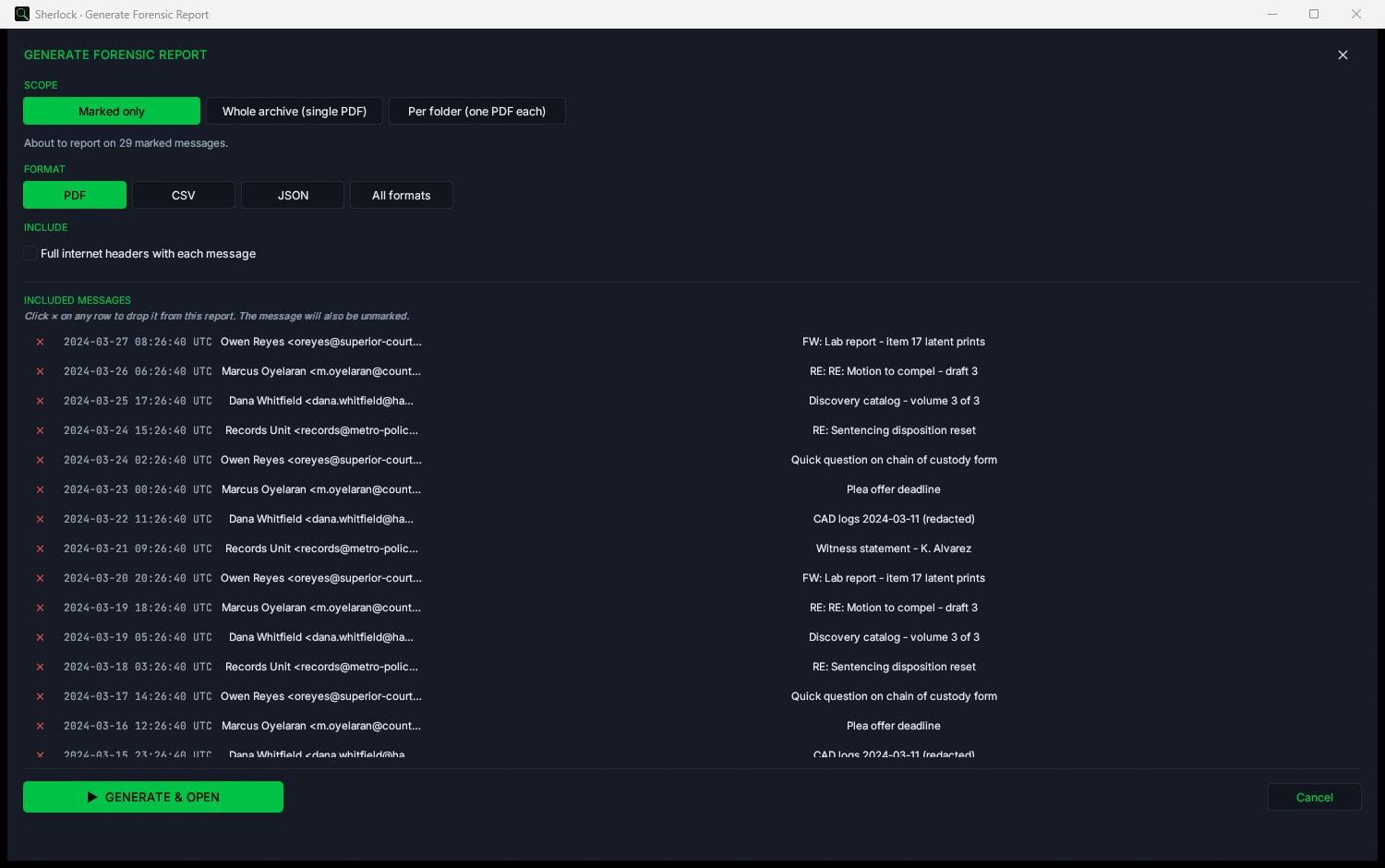
Yes. The tool computes SHA256 hashes for every message, which establishes data integrity for legal proceedings. The Forensic Edition adds forensic report generation and chain of custody logging suitable for court submission.
What operating systems are supported?
Windows 10 and Windows 11 (64-bit). Apple Silicon and Intel Macs on macOS 11 Big Sur or later. Linux as a Debian package for Ubuntu 22.04 or newer, Debian 12 or newer and Kali on 64-bit Intel or AMD. The macOS build is signed, notarized and stapled by Apple, so it opens with no Gatekeeper warning and needs no network check. All three platforms read PST, OST and Outlook for Mac (OLM) archives.
Does the Mac version read Outlook for Mac email?
Yes. Version 1.6.2 reads Outlook for Mac (OLM) archives on all three platforms: messages, folder tree, attachments, search, export and reports. As of 1.6.24 it also reads Mac Outlook calendars: open the .olm and click Calendar, with no need to add or extract Calendar.xml. It also salvages a damaged OLM archive whose index is gone, recovering messages a normal reader refuses outright. It still reads the PST and OST formats Windows Outlook and Exchange produce. Note that OLM is the Outlook for Mac format. Apple Mail uses a different format and is not read.
How large of a PST file can it handle?
Sherlock Forensics PST Viewer handles PST files up to 50 GB. Files over 20 GB may take longer to index on initial load. Performance depends on available system memory.
Is the $67 price a subscription?
No. The Forensic Edition is a one-time purchase of $67 USD. Your license is perpetual, it never expires, there is nothing to renew and there is no recurring charge. Buy it once and it is yours for life.
What is the difference between the free and Forensic editions?
Nothing is ever locked and no evidence is held hostage. The free edition opens, browses, searches and previews your PST and OST archives. The Forensic Edition ($67 one-time) adds the examiner tools: export, reports, timeline, recovery, cross-archive search and threat scanning. Everything you export is yours to keep.
Does an air-gapped or offline machine need an internet connection?
A normal install validates occasionally to stay current. For a sealed lab that never touches the network, sign in on the website, copy your key and paste it into the app. No connection on the examiner's machine is required.
How do I verify the download is safe?
Every download displays a SHA256 hash on the download page. After downloading, compute the SHA256 of the file and compare it to the published hash. If the values match, the file has not been tampered with. Use our
Sherlock Forensics Hash tool or any SHA256 calculator.
Can I export emails from a PST file?
The Forensic Edition ($67 USD) supports exporting individual emails or batch exports to EML, MSG and Mbox, and can write marked or search-hit messages to an Outlook-mountable PST production with a manifest and per-message SHA-256. The free edition is view-only with search and hash verification.
Do you offer volume licensing?
Yes. For 5 or more machines, contact Sherlock Forensics at 888.883.4550 or
[email protected] for volume pricing.
Are Sherlock Forensics PST Viewer reports admissible in court?
Sherlock Forensics PST Viewer Forensic Edition generates forensic PDF reports with SHA-256 hashing per message, sender IP attribution extracted from Received headers, chain of custody documentation and read-only analysis verification. The tool is built by CISSP, ISSAP, ISSMP certified examiners with 20 years of courtroom experience. Admissibility depends on jurisdiction and proper evidence handling, but the reports document everything courts typically require for digital evidence admission.
How does per-message SHA-256 hashing work?
Each email in the PST archive is individually hashed using SHA-256 when included in a forensic report. This creates a unique cryptographic fingerprint for every message. Any modification to a single email would produce a completely different hash value, allowing independent verification of each message without needing to re-examine the entire archive.
Can I use Sherlock Forensics PST Viewer reports in civil litigation?
Admissibility depends on your jurisdiction and how evidence was handled throughout the investigation. Sherlock Forensics PST Viewer Forensic Edition reports document SHA-256 per-message hashes, sender IP attribution from RFC-822 Received headers, SPF, DKIM and DMARC results as recorded by the receiving mail server (reported, not re-verified), chain of custody and examiner identification. These are the elements courts typically require when evaluating digital evidence in civil proceedings.
Can Sherlock Forensics PST Viewer withhold privileged email across multiple custodian PSTs?
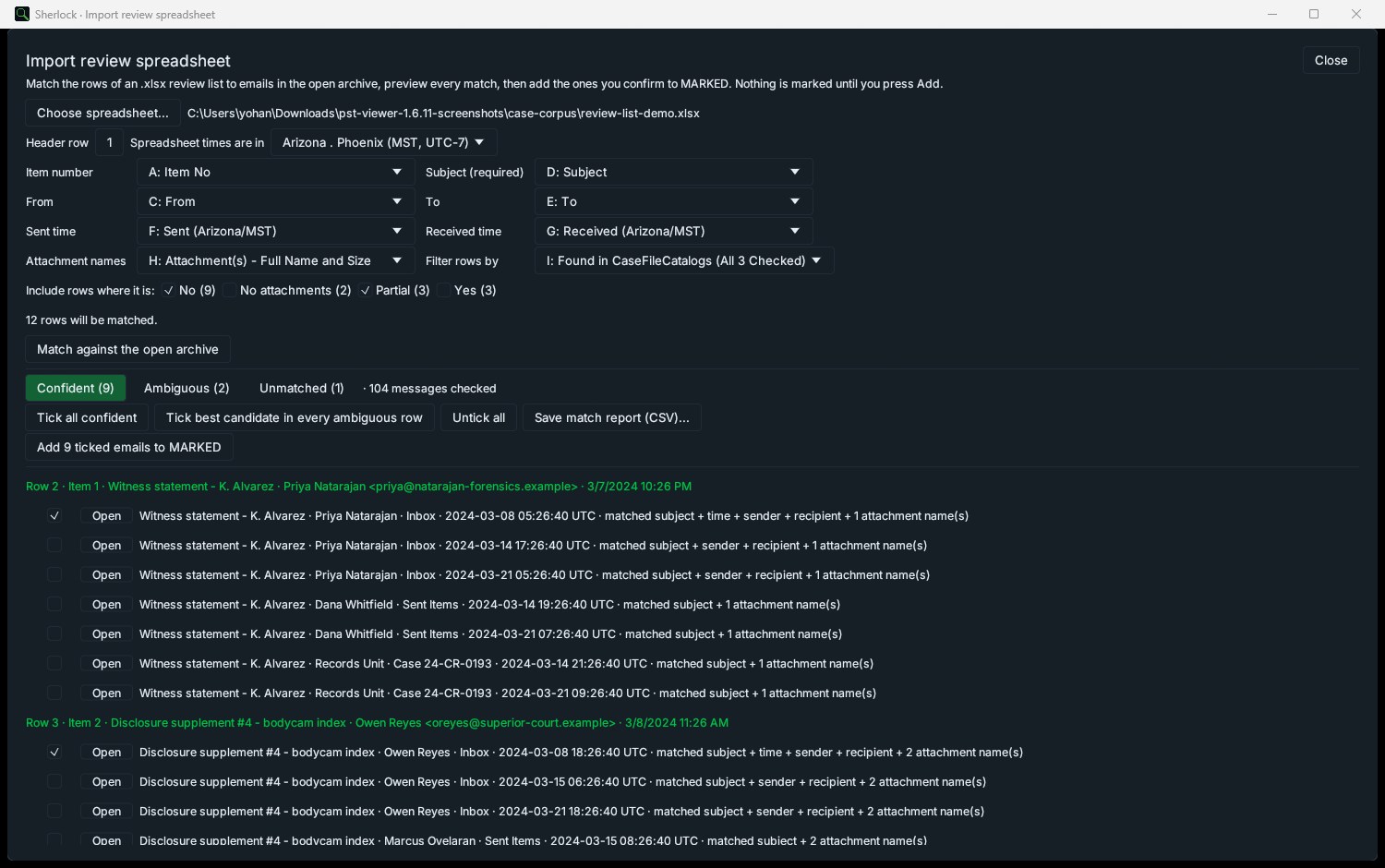
Yes. Import the client review spreadsheet once and it matches against all of a custodian's PST archives in one pass, marking each privileged message in the PST that holds it. Export all except marked to a new PST, EML, MSG or mbox, and every withholding export writes a SHA-256 hashed CSV of exactly what was withheld with its source archive, folder, date, sender, recipients, subject, attachment flag and item id. Exported and withheld counts are reconciled against the folder total, and the export fails closed if the withheld list cannot be written. This lists what was withheld as the basis for a privilege log; the privilege basis and descriptions stay with the reviewer.
Will Sherlock find emails the user deleted?
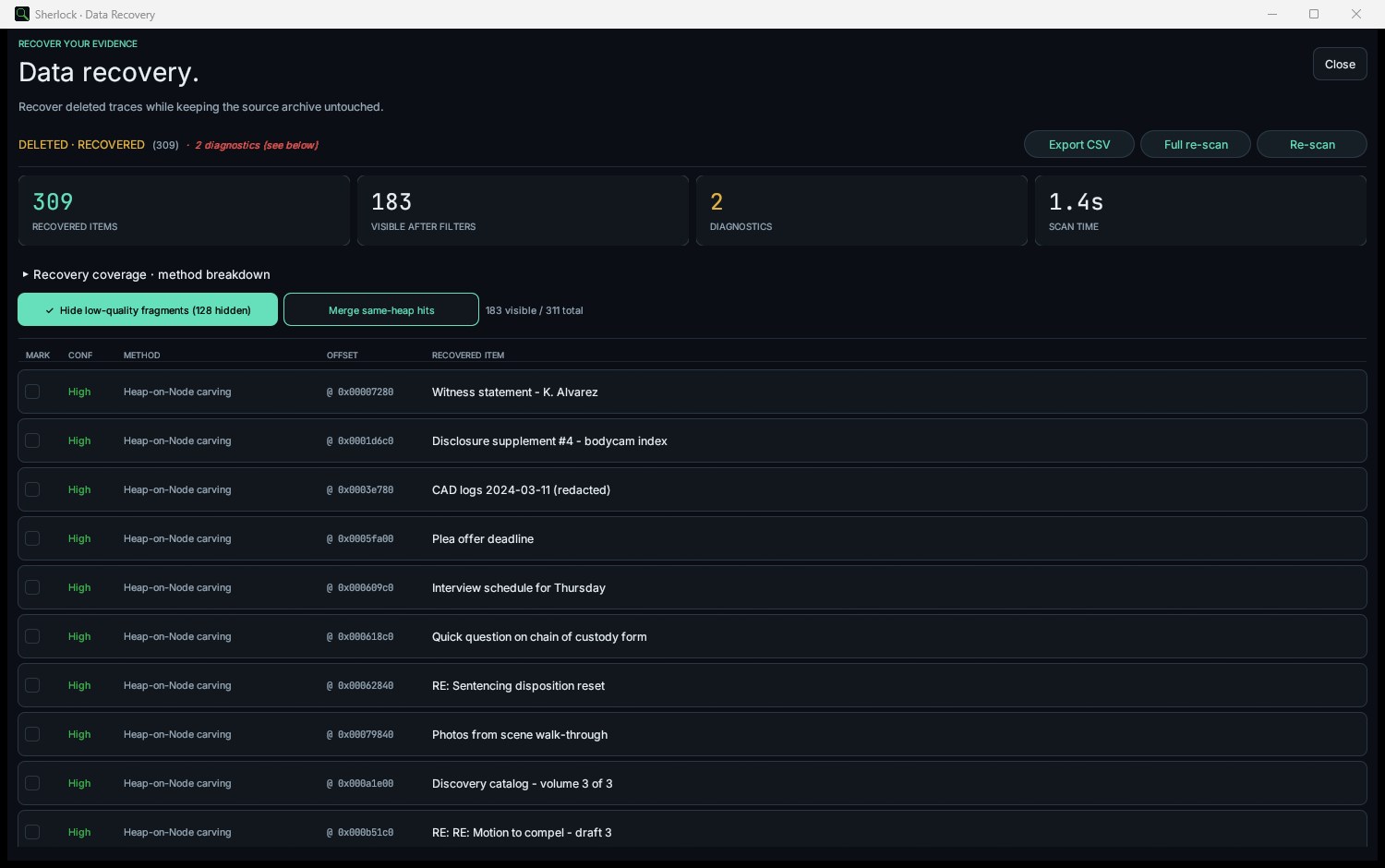
Yes. Sherlock Forensics PST Viewer includes deleted-item recovery with four carving methods. It scans unallocated space in the PST file and recovers messages that were emptied from the Deleted Items folder. Recovered messages appear in a dedicated Recovered Items view with metadata intact where available.
Can I scan a PST for credit cards, SSNs and other sensitive data?
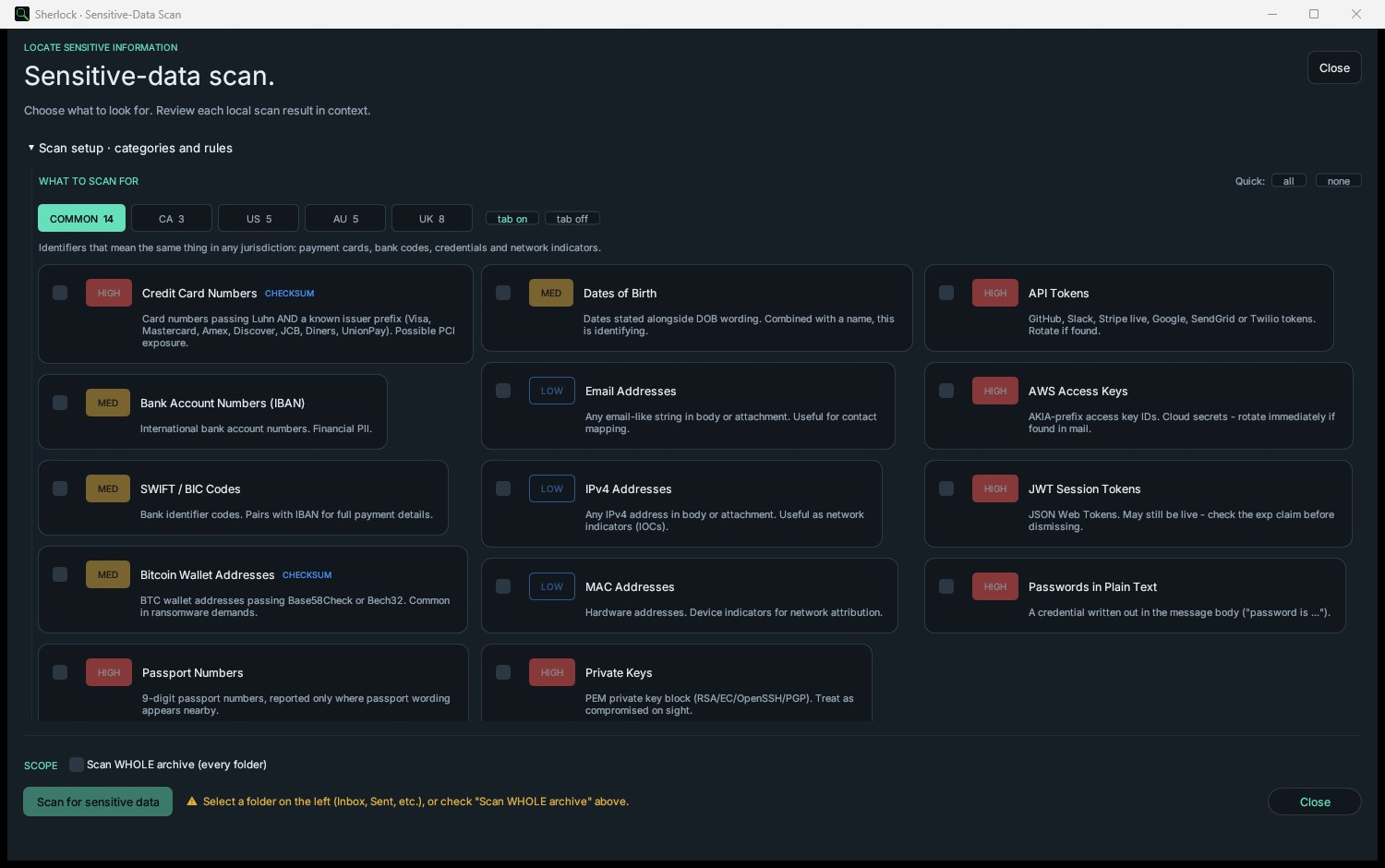
Yes. The pattern-based sensitive-data scanner detects credit card numbers, Social Security numbers, passport numbers and other PII patterns across every message in the archive. Each match is validated with format-specific checks such as Luhn for credit cards to reduce false positives.
Can I work on two monitors?
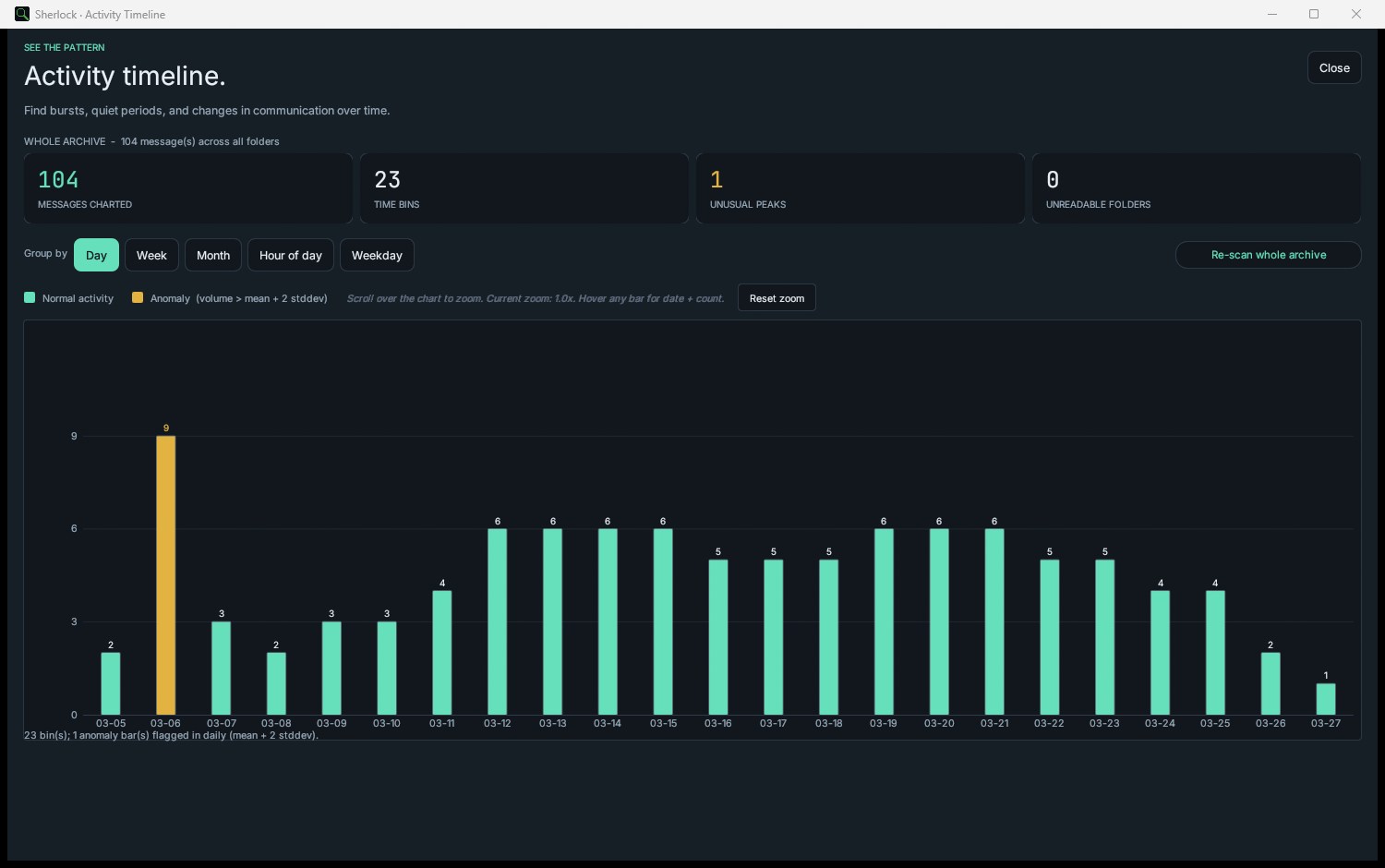
Yes. Sherlock Forensics PST Viewer supports multi-monitor workflows. You can detach the message detail panel, the activity timeline, the communication map or any analysis window and move it to a second monitor. This lets you keep the message list on one screen and evidence detail on another.
Will my marks survive a restart?
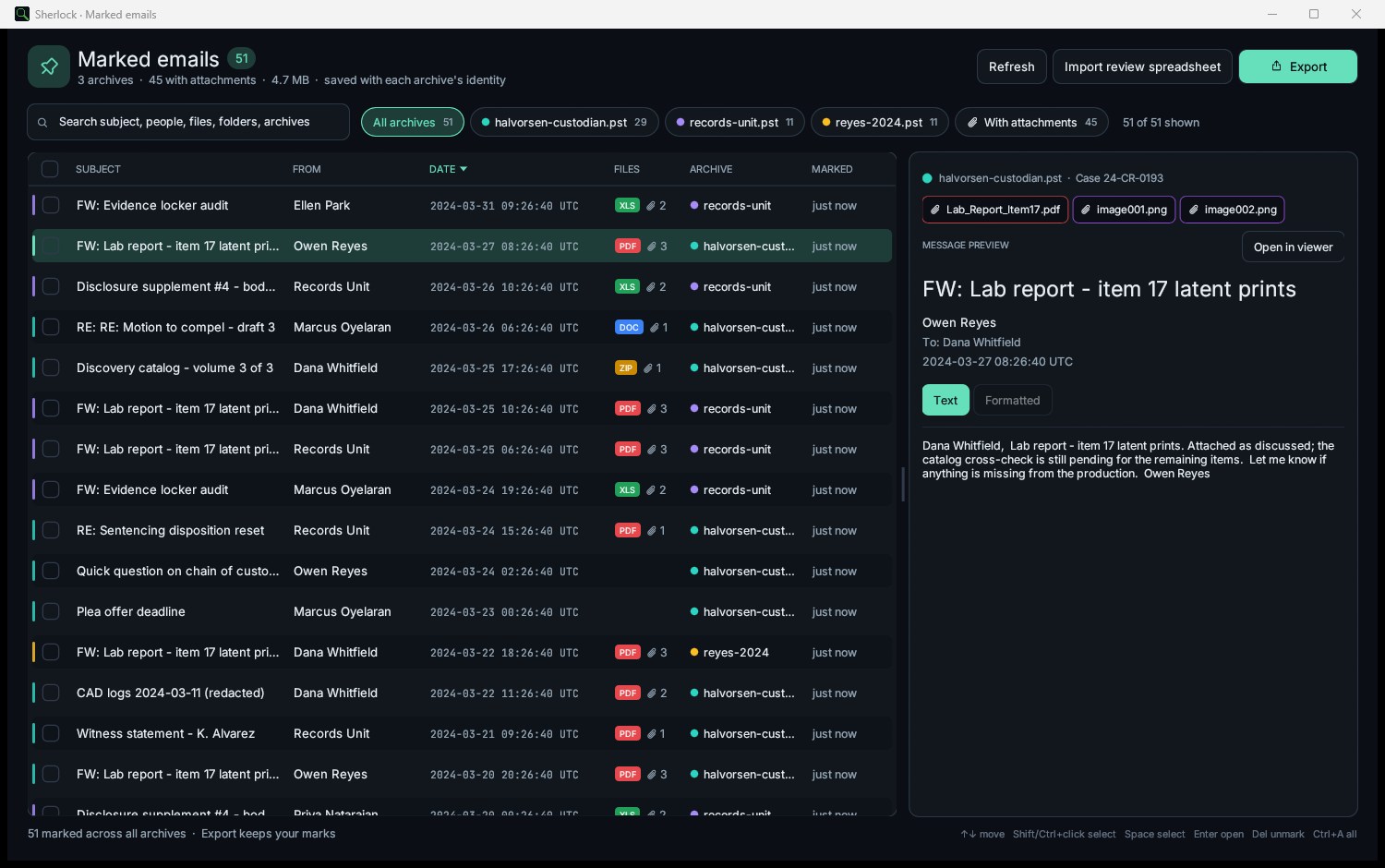
Yes. Marks are persisted to a sidecar file stored alongside your evidence. When you reopen the same PST file your previous marks are restored automatically. The sidecar file never modifies the original evidence.
How do I search inside a long email body?
Press Ctrl+F while viewing a message to open the in-message search bar. The search is digit-aware so queries like 1234 will match 1,234 and 1234.00 as well as the literal string. Matches are highlighted with next/previous navigation.
Can I search across multiple custodians' PSTs at once?
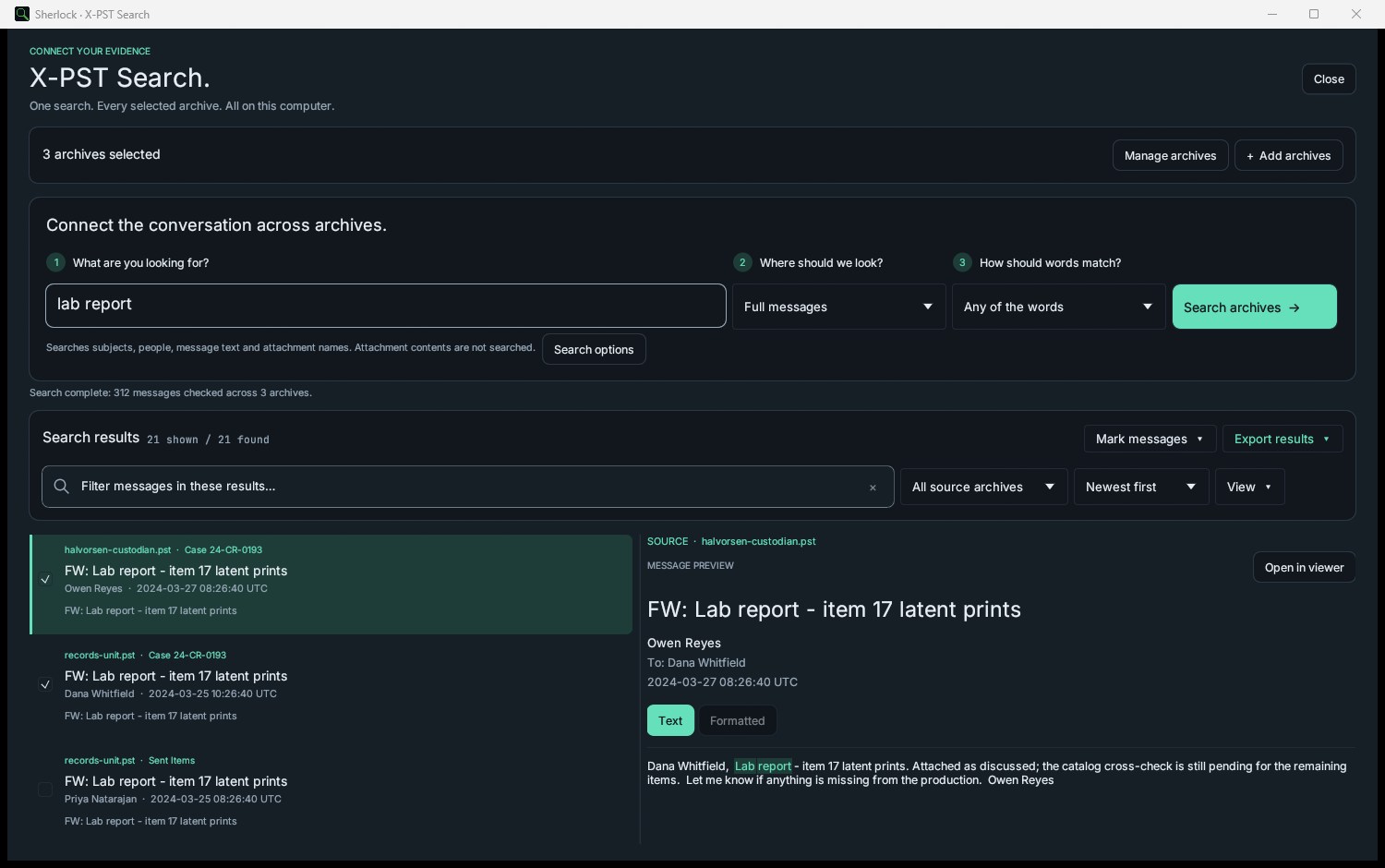
Yes. Cross-PST search lets you open multiple PST files and run a single query across all of them. Results are grouped by source file with hit counts per archive. This is useful for multi-custodian eDiscovery where you need to find a keyword across several mailboxes simultaneously.
Does Sherlock Forensics PST Viewer work on Linux?
Yes. Version 1.6.2 is the first ever Linux release, as a Debian package (.deb) for Ubuntu 22.04 or newer, Debian 12 or newer and Kali on 64-bit Intel or AMD. It reads the same PST, OST and OLM evidence as the Windows and macOS builds, with the same search, recovery, reports and chain of custody. The on-device AI features are Windows and macOS only. The package is unsigned per Linux convention, with a published SHA-256 to verify the download.
Can I recover deleted emails from a PST file?
Yes. Sherlock Forensics PST Viewer recovers deleted emails using four carving methods: Deleted Items folder enumeration, Recoverable Items dumpster scan, B-tree page scan for deallocated message bodies and slack-space carving for fragmented remains. The recovery works on soft-deleted, hard-deleted and permanently deleted items, including emails Outlook claims are gone.
How long are deleted emails recoverable from a PST file?
Deleted Items folder retains soft-deleted emails until manually purged (indefinite). The Recoverable Items dumpster retains hard-deleted emails for 14 to 30 days depending on retention policy. After the dumpster window expires, the B-tree page scan still recovers most messages from deallocated pages until Outlook auto-compact runs. Sherlock surfaces all four recovery layers in a single scan.
Can I recover permanently deleted emails from Outlook?
Yes in most cases. Even after the Recoverable Items dumpster expires, the binary message body often remains in the PST file's deallocated B-tree pages until Outlook auto-compact runs. Sherlock Forensics PST Viewer's B-tree page scan surfaces these permanently deleted items by reading deallocated index pages directly.
What is the difference between soft delete and hard delete in Outlook?
Soft delete (Delete key) moves the email to the Deleted Items folder. The email is fully recoverable by enumeration. Hard delete (Shift+Delete or empty Deleted Items) bypasses Deleted Items and moves the message to the Recoverable Items dumpster for 14 to 30 days. After the dumpster window, the message becomes permanently deleted from Outlook's UI but the binary body often remains in the PST file's deallocated B-tree pages.
Does Outlook actually delete emails from the PST file?
No. Outlook flags messages as deleted in the PST's B-tree index but the binary body remains in deallocated pages until Outlook auto-compact runs or the PST is securely wiped. This is why forensic-grade PST viewers can recover messages Outlook has marked as permanently deleted: the data is still there, just no longer referenced by the active index.
Can I recover emails after emptying the Recycle Bin in Outlook?
Yes for the Recoverable Items dumpster window (14 to 30 days). After the dumpster expires, Sherlock's B-tree page scan recovers most messages from deallocated pages. The Recycle Bin in Outlook is the Deleted Items folder; emptying it triggers the hard-delete path to the Recoverable Items dumpster, not a true wipe.
How do I undelete emails from Outlook without restoring a backup?
Open the PST file in Sherlock Forensics PST Viewer. The viewer surfaces Deleted Items, Recoverable Items and permanently deleted messages via the four carving methods in a single scan. Export recovered messages to EML or MSG for re-import to Outlook or any other email client. No backup restoration required.
Can deleted emails be recovered from a corrupt PST file?
Yes in most cases. Sherlock's bounds-checked parser handles malformed B-tree pages, fresh-template garbage and partially-corrupted records silently rather than crashing. Even corrupted PSTs typically contain recoverable deleted-item data; Sherlock surfaces what is recoverable without modifying the source file.