Can opening a PDF get me hacked?
Yes. Standard PDF readers like Adobe Reader execute JavaScript, launch URLs and run embedded actions automatically when you open a file. A malicious PDF can exploit these features to download malware, steal credentials or redirect you to phishing pages. Sherlock Forensics PDF Viewer + Editor parses PDFs with a pure Rust parser that does not execute any embedded code. Visual rendering via pdfium only happens when you explicitly click Render after reviewing the Threat Inspector.
Why is this called a forensic PDF editor?
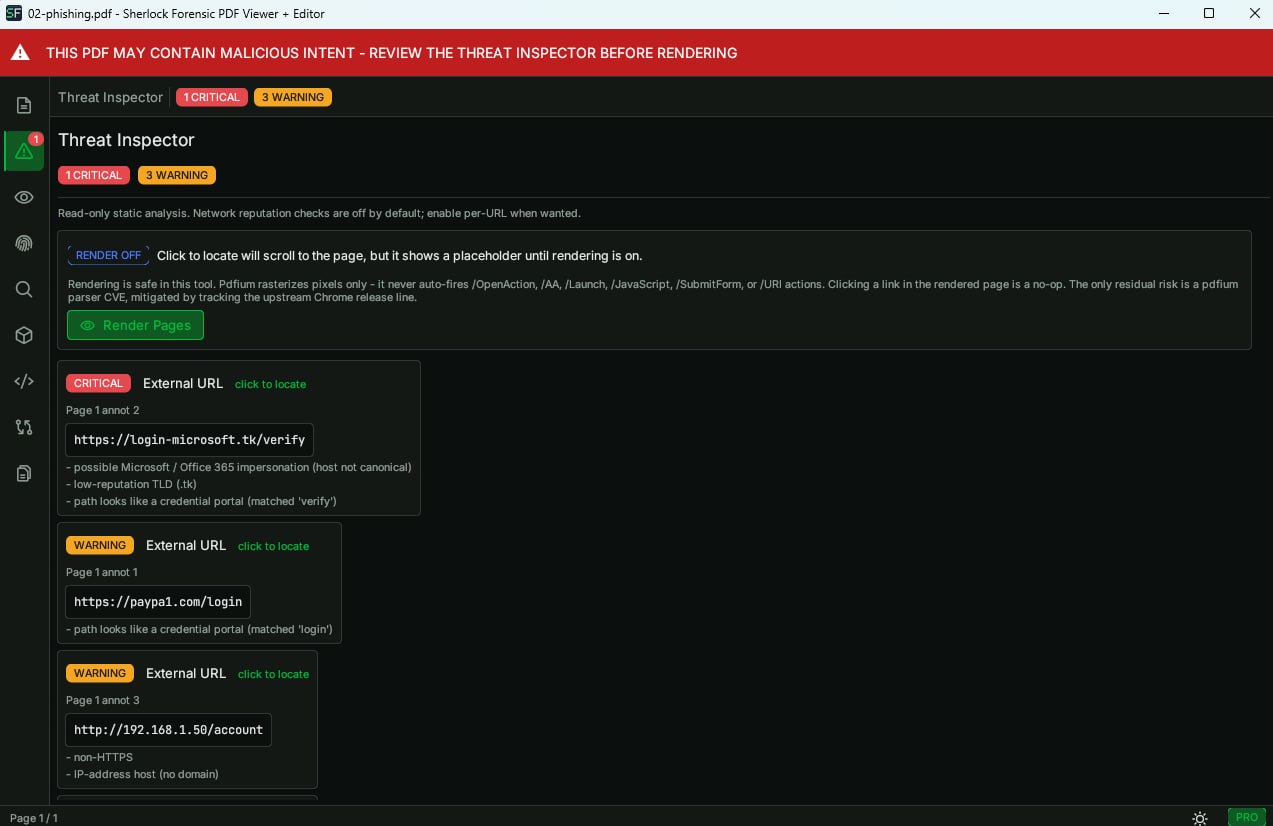
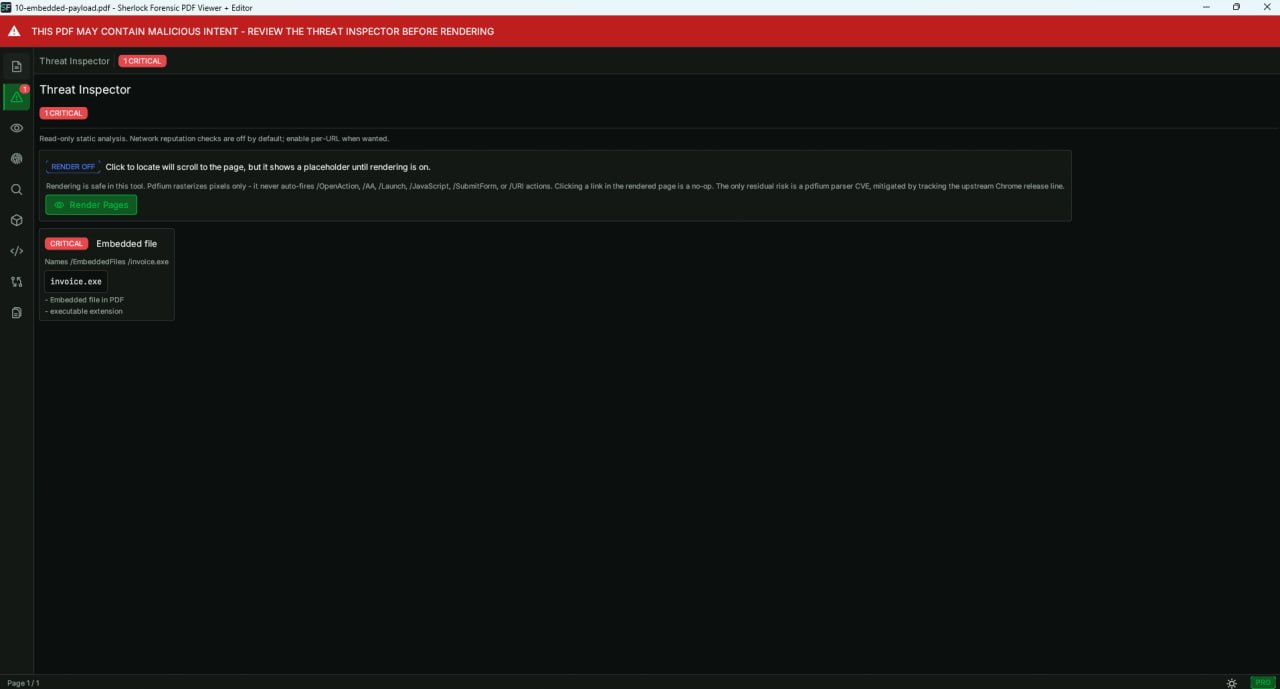
Because it treats every PDF as potentially hostile evidence. The safe-by-default architecture (Rust parser first, pdfium render only on click) mirrors how a forensic examiner handles suspect files: inspect metadata and structure before ever executing content. The Threat Inspector extracts URLs, JavaScript, launch actions, embedded files and phishing indicators so you see what the PDF wants to do before it can do it.
Do you collect any data or telemetry?
No. Sherlock Forensics PDF Viewer + Editor makes zero outbound network connections. No telemetry, no analytics, no license-phone-home, no update checks. The application is a single .exe that runs entirely offline. Your PDFs never leave your machine. Verify with
Wireshark or any network monitor.
How is this different from opening a PDF in a sandbox?
A sandbox lets the malicious code run and tries to contain the damage after the fact. Sherlock never runs the code in the first place. The Rust parser extracts text, structure and metadata without executing JavaScript, launch actions or embedded scripts. You see the threats listed in the Threat Inspector before any rendering occurs. It is prevention vs containment.
What happens if I open a malicious PDF in Sherlock?
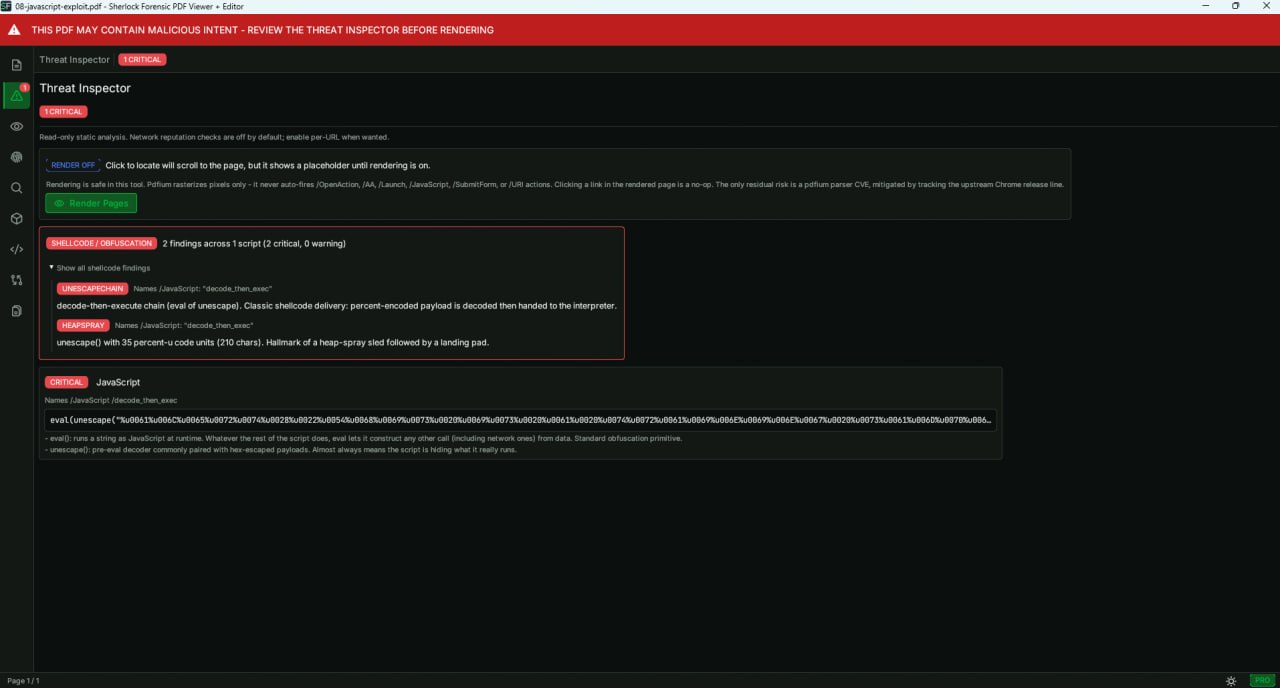
Nothing fires. The file is parsed by lopdf (pure Rust) which extracts structure without executing anything. The Threat Inspector scans every URL, JavaScript action, /Launch action, /OpenAction, embedded file and XFA form. Critical threats trigger a red banner and rendering is blocked. You can read every script in the JavaScript Inspector panel and inspect every URL it would have called. The script body is just text in the UI. No JS interpreter runs. No URLs are fetched. No shell commands are handed to the OS. No annotation actions fire on click. Two layers of defense: lopdf has no action dispatcher and pdfium (when engaged) only rasterizes bitmaps without calling FORM_DoDocOpen or any event handler.
Can Sherlock detect hidden text in a PDF?
Yes. The Hidden Text panel in the Forensic Inspector detects text rendered with mode 3 (invisible). This is text that exists in the content stream but is not displayed on the page. It is commonly used to hide keywords for search engine manipulation, embed tracking strings or conceal watermarks. Sherlock surfaces every instance with its position and content so you can see what the document is hiding.
How do I scan a folder of PDFs for threats?
Open Sherlock Forensics PDF Viewer + Editor and use the Batch Scan feature. Select a folder and every PDF inside it is scanned automatically. The results appear in a summary table showing threat count, severity and file details for each PDF. Sort by severity to prioritize the most dangerous files. Click any row to open the full Forensic Inspector for that file. This is designed for IR triage: point at a folder of seized PDFs or email attachments and get an instant threat overview.
What forensic metadata can Sherlock extract from a PDF?
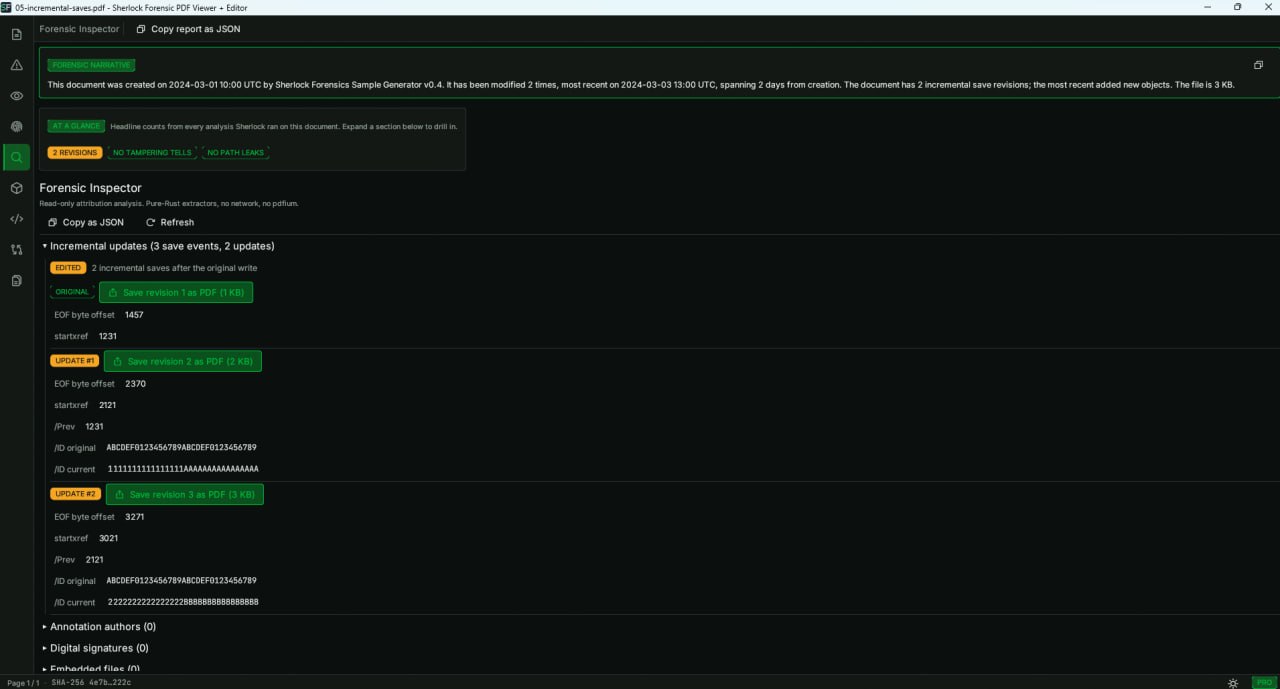
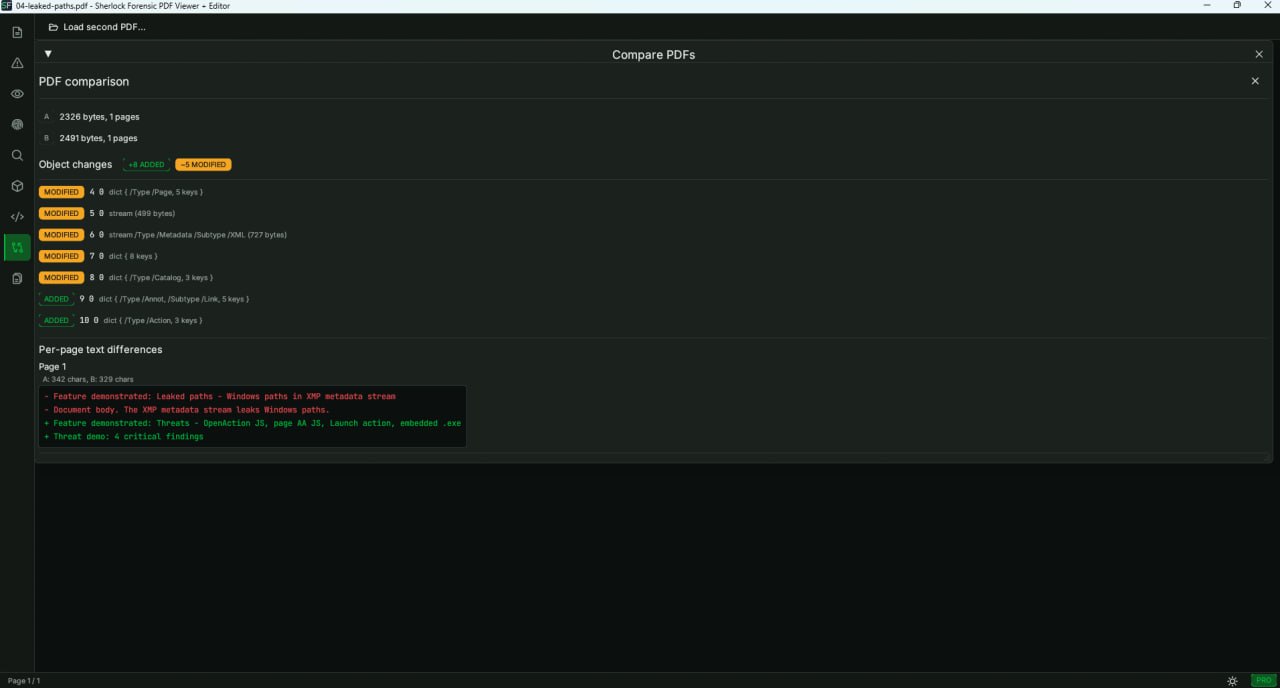
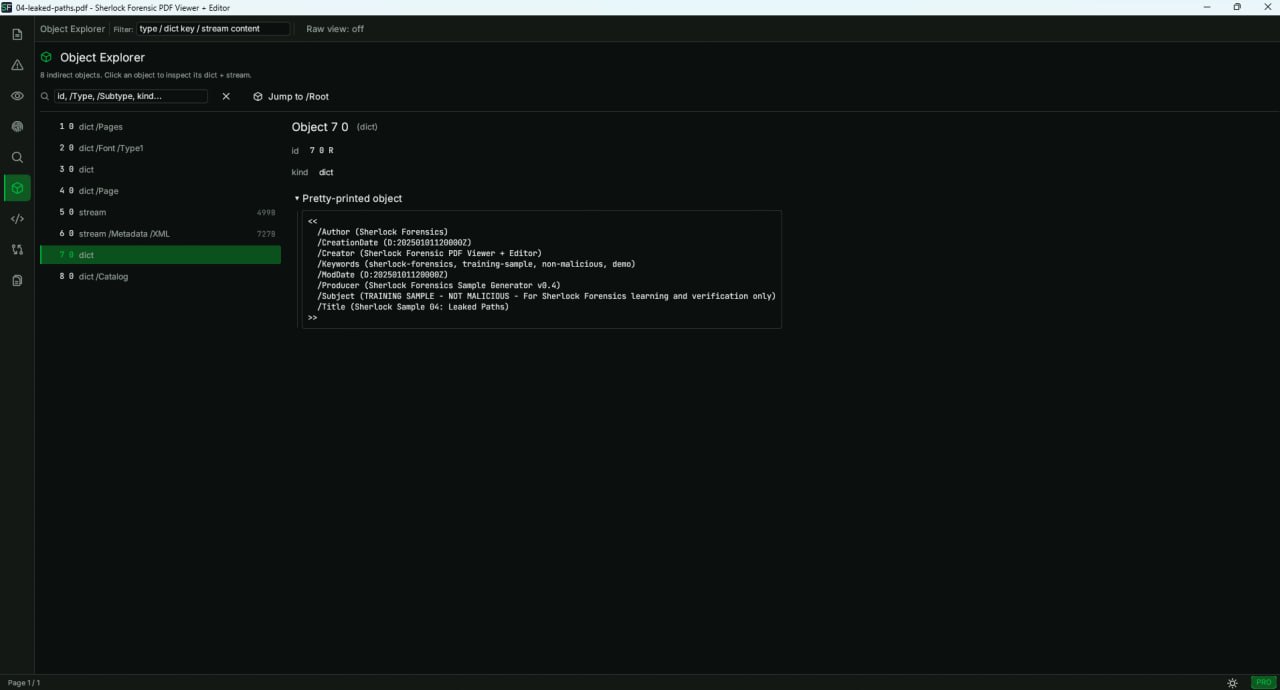
The Forensic Inspector has 22 panels that extract: document identity (PDF version, encryption, trailer /ID), file hashes (SHA-256, MD5) with blocklist matching, permissions (/Encrypt /P analysis), PDF/A and PDF/X conformance, /Info dictionary (author, producer, creator, dates), XMP metadata with full edit-tool history, incremental save timeline (every %%EOF with byte offset), fonts (PostScript name, subtype, embedded status), embedded files (name, size, MIME, hash), JavaScript (beautified and syntax-highlighted), actions chain (/OpenAction, /AA, annotation /A), URLs with phishing analysis, hidden text (render mode 3), layers (OCGs), structure tree, cross-reference table and leaked filesystem paths.
Can Sherlock detect failed redactions in a PDF?
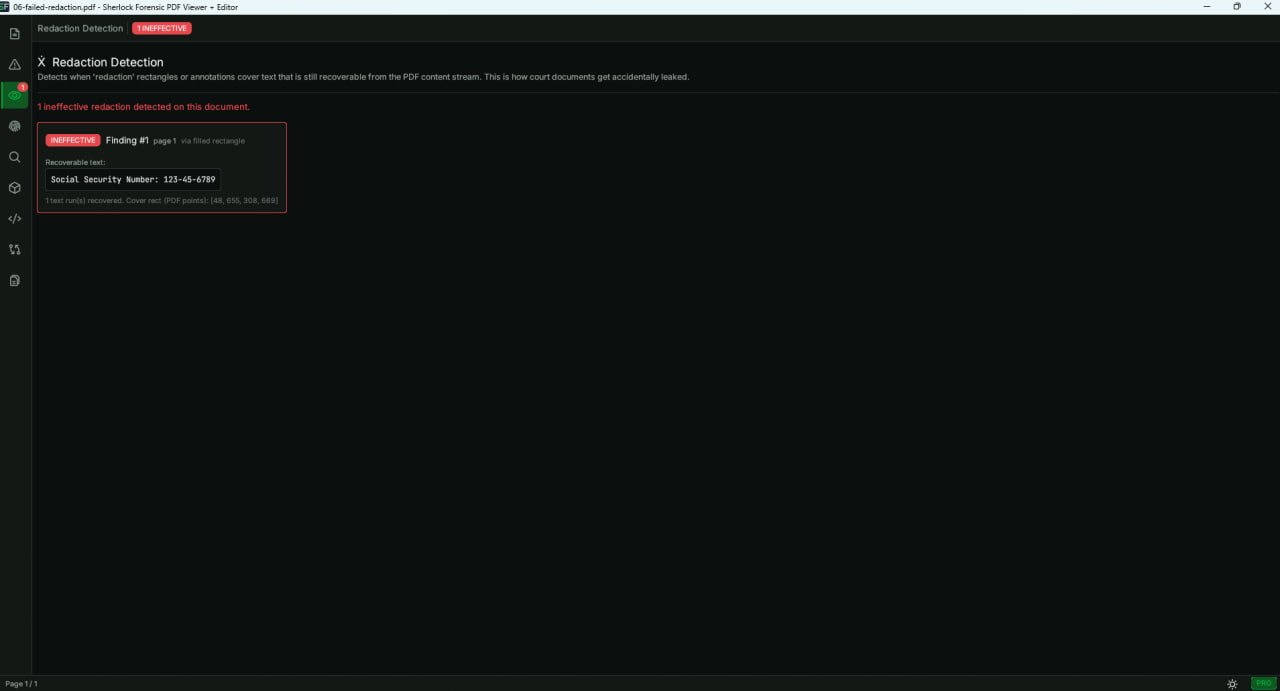
Yes. The Redaction Lie Detector finds text that is recoverable from underneath redaction rectangles or dark highlight annotations. When someone tries to redact a PDF by drawing a black rectangle over text, the text remains in the content stream. Sherlock recovers it and shows the hidden text alongside the cover rectangle coordinates. This is critical for court documents, leaked contracts and any case where someone attempted to hide information but failed.
How does Sherlock detect if a PDF was tampered with?
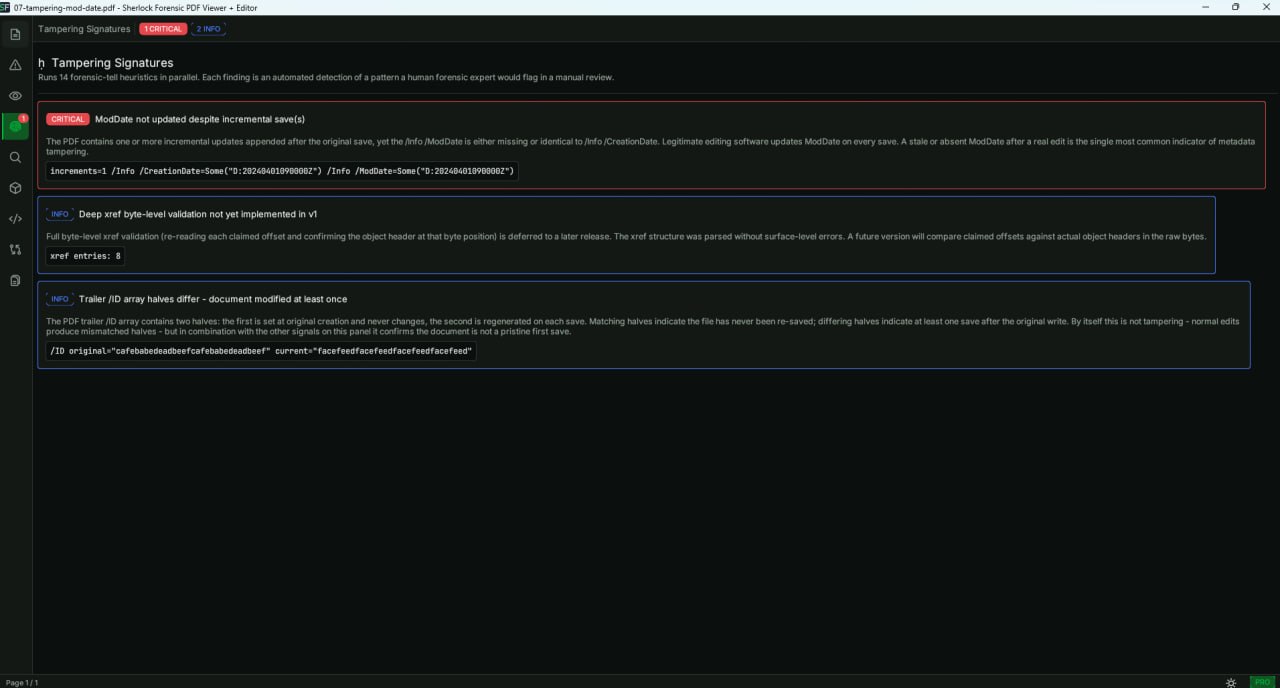
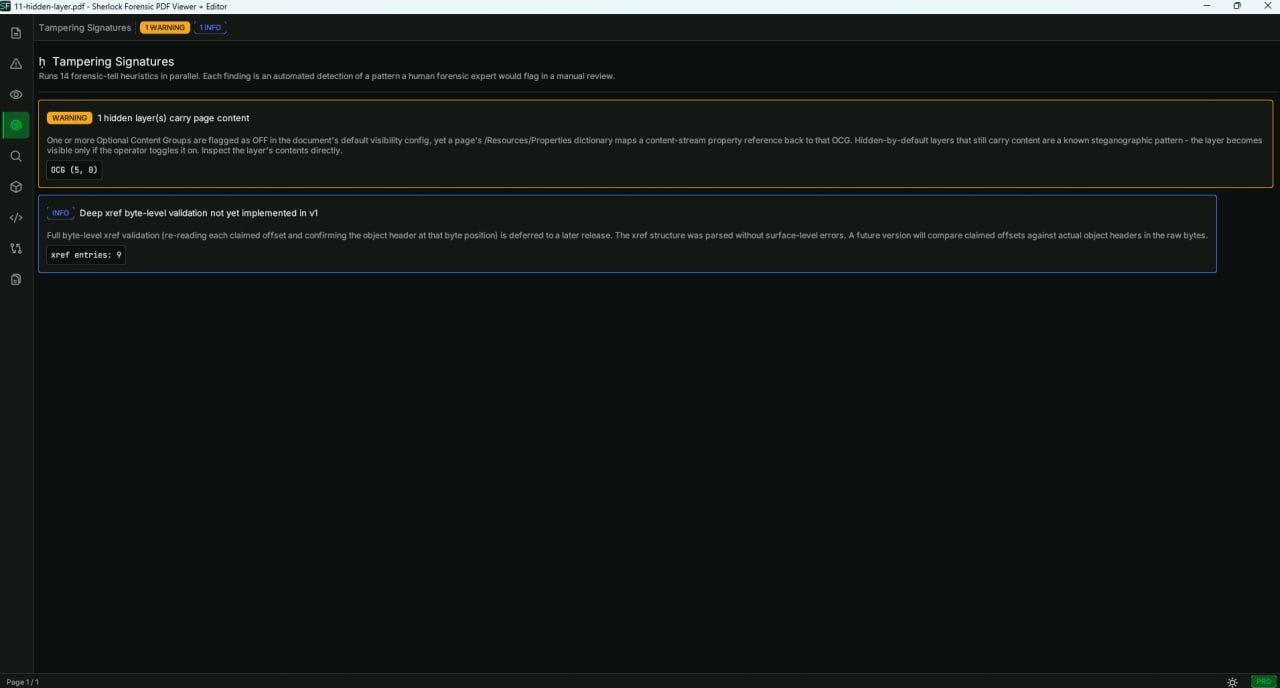
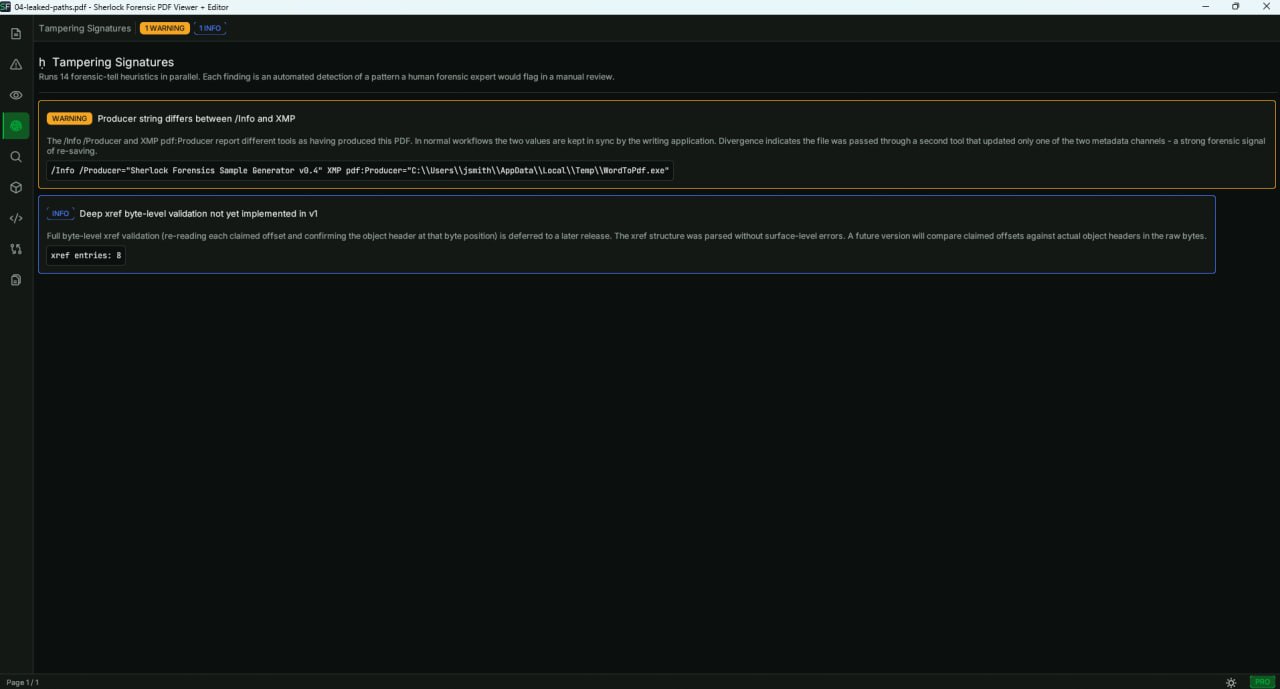
The Tampering Signatures feature runs 14 forensic tells in parallel: ModDate not advanced after save, CreateDate mismatch between XMP and /Info, Producer mismatch, signature timestamp predating creation, annotation back-dating, hidden OCG layers, unused embedded fonts, JBIG2 presence, duplicate xref offsets and more. Each finding includes a severity rating, plain-English explanation and raw evidence. This proves document alteration in cases where integrity matters.
What is the Forensic Narrative Engine?
The Forensic Narrative Engine auto-generates a plain-English paragraph summarizing the forensic state of a PDF. It produces output like: "This document was created on 2024-03-15 by Microsoft Word 16.0, modified 4 times across 12 days, the XMP edit history records Adobe Acrobat Pro DC as last editor though Producer claims LibreOffice 7.5." A copy-to-clipboard button lets investigators paste directly into case notes. No other PDF tool generates this automatically.
What is the safest PDF viewer for Windows?
Sherlock Forensics PDF Viewer + Editor opens PDFs in a pure Rust parser that cannot execute JavaScript, navigate URLs or launch processes. The rendering engine (pdfium) only activates when you click Render Pages. No other PDF viewer separates parsing from rendering this way. The Threat Inspector scans for malicious URLs, JavaScript, launch actions, embedded files and phishing indicators before a single pixel renders. Zero network traffic. Single .exe. Free download.
Is there a secure PDF viewer that scans for malware?
Yes. Sherlock Forensics PDF Viewer + Editor scans every PDF for malicious URLs, JavaScript, launch actions, embedded files and phishing indicators before rendering a single pixel. The Threat Inspector shows you what the PDF wants to do. Nothing executes. Unlike antivirus which scans for known signatures after download, Sherlock performs structural analysis that catches zero-day exploits. Free for Windows.
Why does Windows SmartScreen warn about this app?
SmartScreen flags executables that have not accumulated enough download volume to build a reputation score with Microsoft. This is normal for new independent software and has nothing to do with the safety of the application itself. Sherlock Forensics PDF Viewer + Editor is a single Rust binary with no network access, no installer and no system modifications. You can verify the SHA-256 hash on the download page and inspect network traffic with Wireshark to confirm zero outbound connections.
Does Sherlock Forensics PDF Viewer + Editor work on Linux?
Yes. Sherlock Forensics PDF Viewer + Editor is available as a native Linux x64 binary. Download the .tar.gz archive, extract and run. Requires libgtk-3, libfontconfig1 and libxkbcommon.
Is Sherlock Forensics PDF Viewer + Editor a Foxit alternative?
Yes, in the security + forensic PDF inspection lane. Foxit PhantomPDF at $129/year is a full PDF authoring suite. Sherlock at $29/year is a focused secure PDF viewer + PDF forensics tool. As a Foxit alternative for examiners doing PDF tampering forensics, PDF redaction audit, PDF threat scanning and court-ready PDF reporting, Sherlock wins on focus and price. For PDF authoring (annotation save, form fields, signing), Foxit stays the right tool. Pick by workflow.
Is Sherlock Forensics PDF Viewer + Editor an Adobe Acrobat Pro alternative?
Yes, in the security + forensic PDF inspection lane. Adobe Acrobat Pro DC is $240/year for the full PDF authoring suite. Sherlock is a $29/year Adobe Acrobat Pro alternative for PDF forensics, PDF redaction audit, PDF tampering forensics, PDF threat scanning, PDF audit trail and Bates numbering. Sherlock does not do PDF authoring in the Acrobat sense (no annotation save, no form-field creation, no signing, no content-rendering redaction). Pick by workflow: forensic PDF analysis vs PDF authoring.
Does Sherlock Forensics PDF Viewer + Editor do PDF redaction?
Sherlock does PDF redaction audit, not content-rendering PDF redaction. When you redact PDF documents in Adobe Acrobat or Foxit, the workflow is to redact PDF text by drawing black-box overlays then applying the redaction. Sherlock detects when an examiner tried to redact PDF content but the text under the black-box rectangle is still present in the PDF stream (the "black-box overlay" failure mode that leaks PII in real-world legal productions). For producing parties, this PDF redaction tool lets you audit your own output after you redact PDF documents and before delivery. For receiving parties, the PDF redaction audit detects whether incoming productions actually redacted what they claimed. Sherlock is the PDF redaction tool for due-diligence audit, not the redaction-rendering tool.
Does Sherlock Forensics PDF Viewer + Editor support Bates numbering?
Yes. Sherlock Forensics PDF Viewer + Editor applies Bates numbering with configurable prefix, start number and suffix patterns (typical SHF000001 sequence). The Bates stamp writes to the output PDF and to the EDRM XML page metadata for e-discovery review-platform ingest. PDF Bates production aligns with Sherlock Forensics OCR Reader Bates output so produced PDF sets ship with consistent Bates identifiers across native PDFs and scanned-then-OCR'd PDFs in the same production batch.
Can I use Sherlock Forensics PDF Viewer + Editor for e-discovery review?
Yes. PDF e-discovery workflows use Sherlock at two points: outgoing production (run PDF redaction audit + Bates numbering on outgoing PDFs to confirm redactions hold and Bates identifiers are correct) and incoming review (run PDF threat scanning + PDF tampering forensics on incoming productions before reviewers open them). The EDRM XML metadata Sherlock writes drops directly into Relativity, Concordance, Logikcull, Reveal, Everlaw and Disco ingest workflows without format conversion.
Is Sherlock Forensics PDF Viewer + Editor court-ready for litigation evidence?
Yes. The Forensic Edition produces court-ready PDF output with the PDF audit trail (every action logged), per-document SHA-256 hashes, examiner identification, chain of custody documentation and the PDF forensic narrative report. The tool is built by CISSP, ISSAP and ISSMP certified examiners with 20-and years of courtroom testimony. PDF for litigation admissibility depends on jurisdiction and proper procedure, but the report format documents what courts typically require for PDF evidence.
What is PDF forensics and how does Sherlock do it?
PDF forensics is the discipline of analyzing PDFs for evidence of tampering, manipulation, malicious content, hidden data and redaction failures. Sherlock approaches PDF forensics through 22 inspection panels covering: PDF stream analysis, PDF metadata inspection, PDF JavaScript + PDF embedded action analysis, PDF redaction audit, PDF tampering signature detection, six-layer URL threat scanning and the court-ready PDF audit trail. Output flows to the PDF forensic narrative report for evidence packets.
Can Sherlock Forensics PDF Viewer + Editor detect malicious PDF JavaScript and embedded actions?
Yes. PDF JavaScript and PDF embedded action are the two primary malicious-PDF execution vectors. PDF JavaScript embedded in a document can fire on open, exfiltrating data or triggering downloader behavior. PDF embedded action (launch action, URL action, JavaScript action, named action) can fire on viewer events. Sherlock's PDF threat scanning surfaces every PDF JavaScript fragment and every PDF embedded action in the document before rendering, so the examiner can decide whether to open the PDF rendered, open it in inspect-only mode or quarantine it entirely. No malicious PDF JavaScript or PDF embedded action executes during Sherlock's analysis.